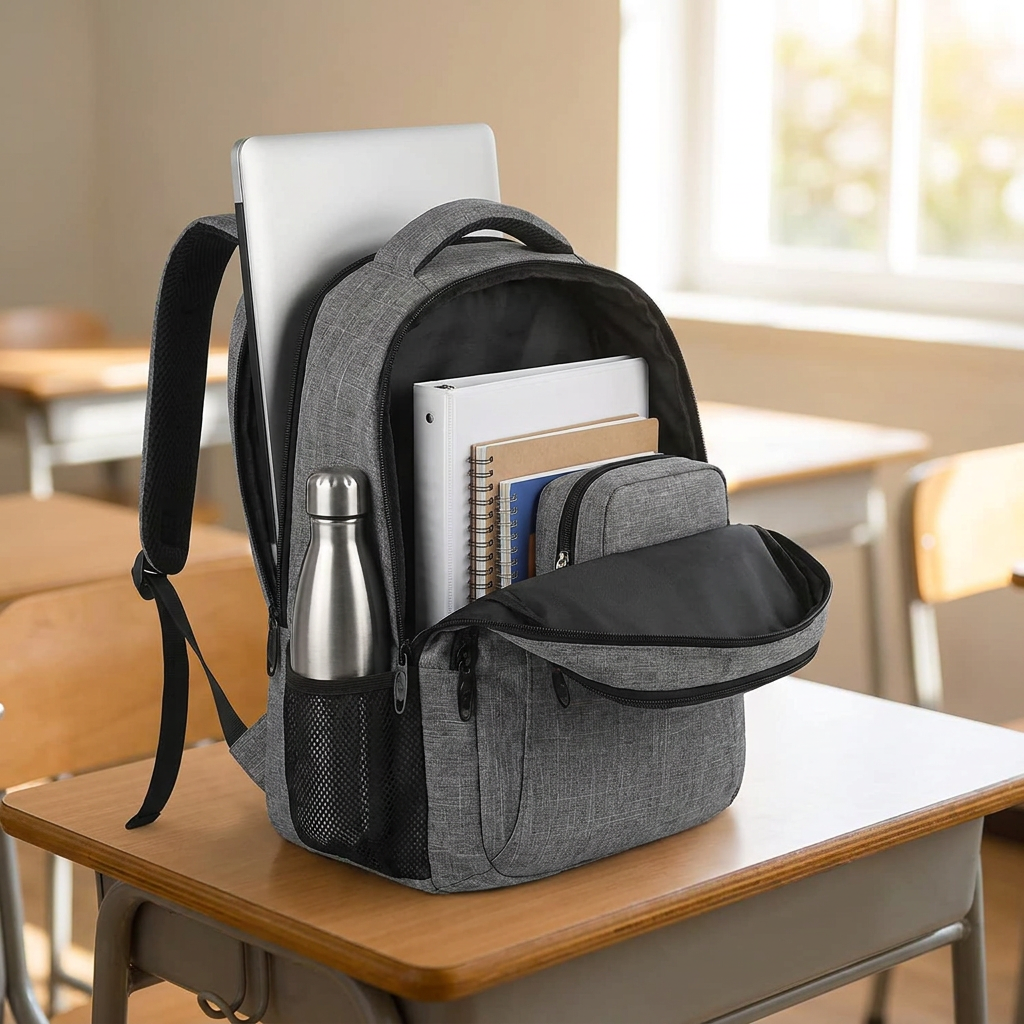
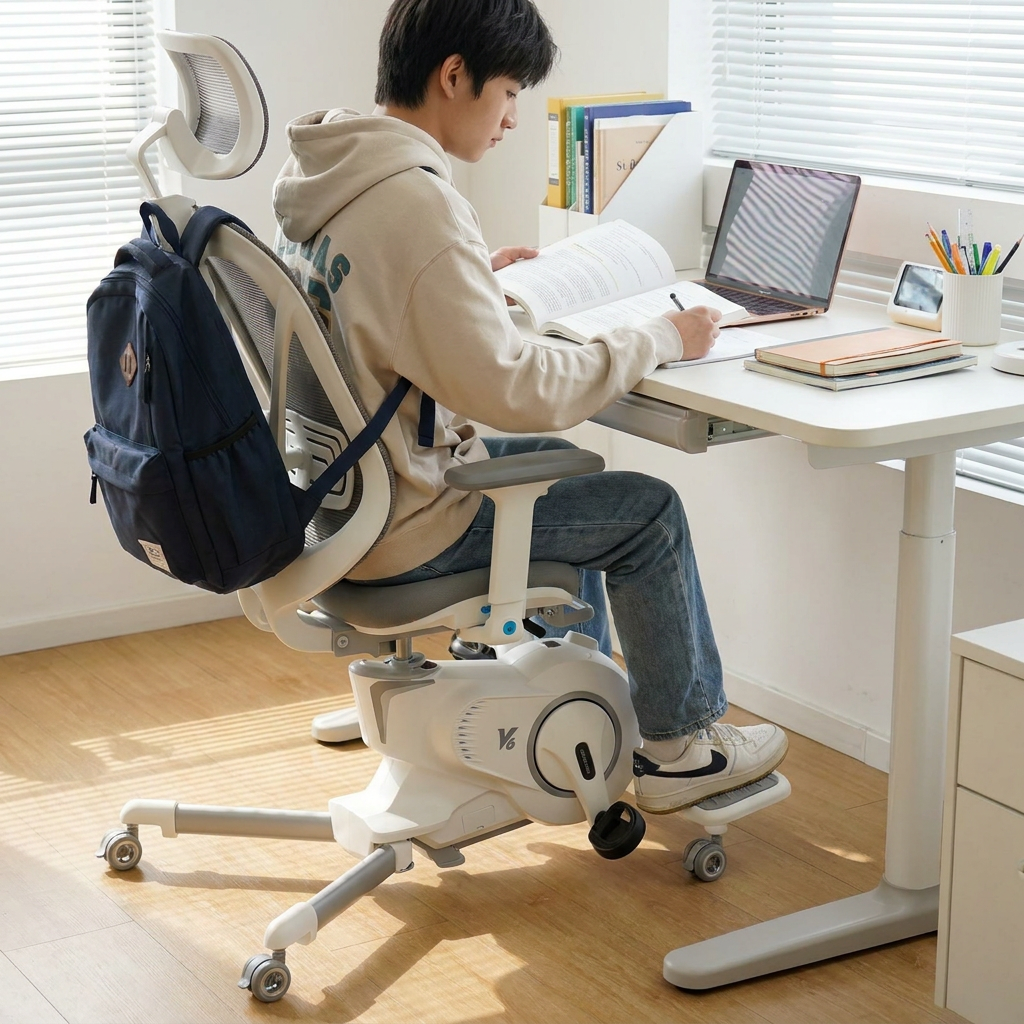
A study desk chair should match a 29–30 in (74–76 cm) desk with a 16–18 in (41–46 cm) seat height range and real lumbar contact.
Choosing a desk chair for studying: short verdict
Long study sessions punish two things first: lower-back support and how close the body can get to the desk. This kind of chair is worth attention when it allows a stable, repeatable setup in under two minutes, without forcing shoulders up or feet to dangle.
Expect a clear trade-off. Chairs that feel soft in the first five minutes often lose support after an hour. Chairs that feel firmer can stay comfortable longer if the seat depth and lumbar position fit.
- Match seat height to desk height first. A footrest can solve a high-desk mismatch cheaply.
- Prioritize seat depth and lumbar contact over headrests and "gaming" styling.
- Plan for your room. Caster type, noise, and footprint matter in dorms and shared spaces.
Most shopping pages treat "ergonomic" as a label. For an ergonomic chair for students, fit and adjustability decide whether it helps or becomes another source of tension.
What "ergonomic" needs to mean for students
An ergonomic study chair for students earns that label only if it supports a neutral posture without constant effort. Neutral does not mean rigid. It means the chair helps the body land in a position that can be held while reading, typing, and switching between tasks.
Start with three contact points. Feet need a stable base, the seat needs to support most of the thigh without pressing behind the knees, and the backrest needs to meet the lower back without forcing an exaggerated arch.
Desk work also creates a predictable shoulder problem. When the seat is too low for the desk, elbows float and shoulders shrug. When armrests are too high or too wide, they push the arms outward and load the neck.
Small adjustments change everything.
For most students, the "ergonomic" features that matter in real use are not exotic. They are basic controls that hold their position and don’t slip under weight shifts.
- Seat Height: enough range to get elbows near desk height while keeping feet supported.
- Seat Depth: a shallow seat can feel unstable; a deep seat can cut off circulation behind the knees.
- Lumbar Position: fixed lumbar can fit well or miss completely. Adjustable lumbar reduces that risk.
- Armrests: flip-up or height-adjustable arms help when the chair must slide under a desk.
Claims like "orthopedic" or "medical-grade" are marketing language. A more credible signal is testing to a known chair durability standard such as ANSI/BIFMA X5.1, when a brand actually documents it on a spec sheet.
Fit comes before features: a fast setup check
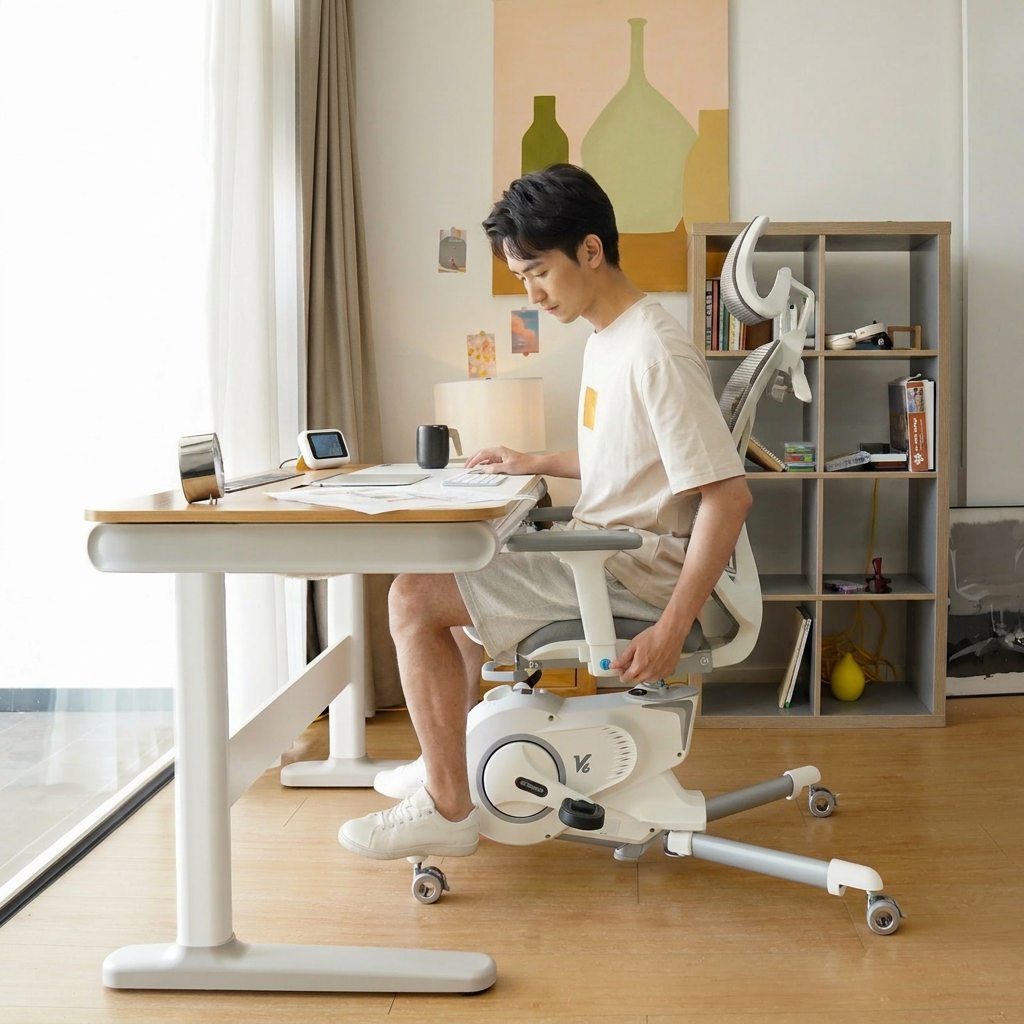
Most returns happen because the chair and desk don’t match, not because the chair is "bad." Fit is the first filter for a desk chair for studying. It also explains why one student loves a chair and another hates the same model.
Use the desk as the reference point. Many student desks sit around 29–30 in (74–76 cm) high. A chair that can’t raise the seat enough will force a forward lean. A chair that raises high enough but leaves feet unsupported will also fail unless a footrest is added.
Run this check in order. It takes two minutes.
- Set seat height so forearms can rest near level with the desk surface, without shoulders lifting.
- Check feet. Heels should touch the floor or a footrest. Knees around a right angle is a good baseline.
- Slide hips back. The backrest should meet the lower back, not the mid-back only.
- Confirm seat depth. Leave about 2–3 fingers of space behind the knees.
- Test armrests. If they hit the desk or force elbows out, they need adjustment or removal.
What if the desk is too high? A footrest often fixes the lower-body side, but the upper-body side still needs attention. A keyboard tray can help, but many dorm desks don’t allow it. In that case, a chair with a higher seat range plus a stable footrest is the realistic path.
Carpet changes the feel too. Soft casters can sink and make the chair feel heavy to reposition. Hard casters can skate and feel twitchy on smooth flooring. Both affect how often a student shifts, and that affects fatigue.
Materials and build: what holds up to daily studying
A chair used for studying is not occasional seating. It sees hours a day, repeated rolling, constant micro-movements, and plenty of leaning forward. Materials decide whether it stays supportive through a semester.
Mesh backs are popular for a reason. They breathe and don’t trap heat, which matters in small rooms without great ventilation. But mesh can feel harsh if the lumbar area is too aggressive or if the frame edge sits in the wrong place.
Foam seats are the bigger durability gamble. Low-density foam can feel plush at first and then "bottom out," leaving the user sitting on the base. A firmer seat can feel less welcoming in a quick sit, yet work better for long sessions.
Listen for build cues during assembly. Wobble at the base, loose tolerances in the tilt mechanism, or armrests that flex easily tend to get worse with time. A desk chair for studying should feel stable when shifting weight side to side.
Noise is underrated. In shared housing, squeaks and loud casters become daily friction. Soft-tread casters can reduce rolling noise on hard floors. A chair mat can also help, but it adds footprint.
For safety and durability expectations, the most useful public reference is the BIFMA family of standards, widely used in office seating. Details vary by model, but the standard itself explains the type of performance testing involved. See the overview on the BIFMA standards page.
Where a desk chair for studying starts to feel wrong: pain-pattern clues
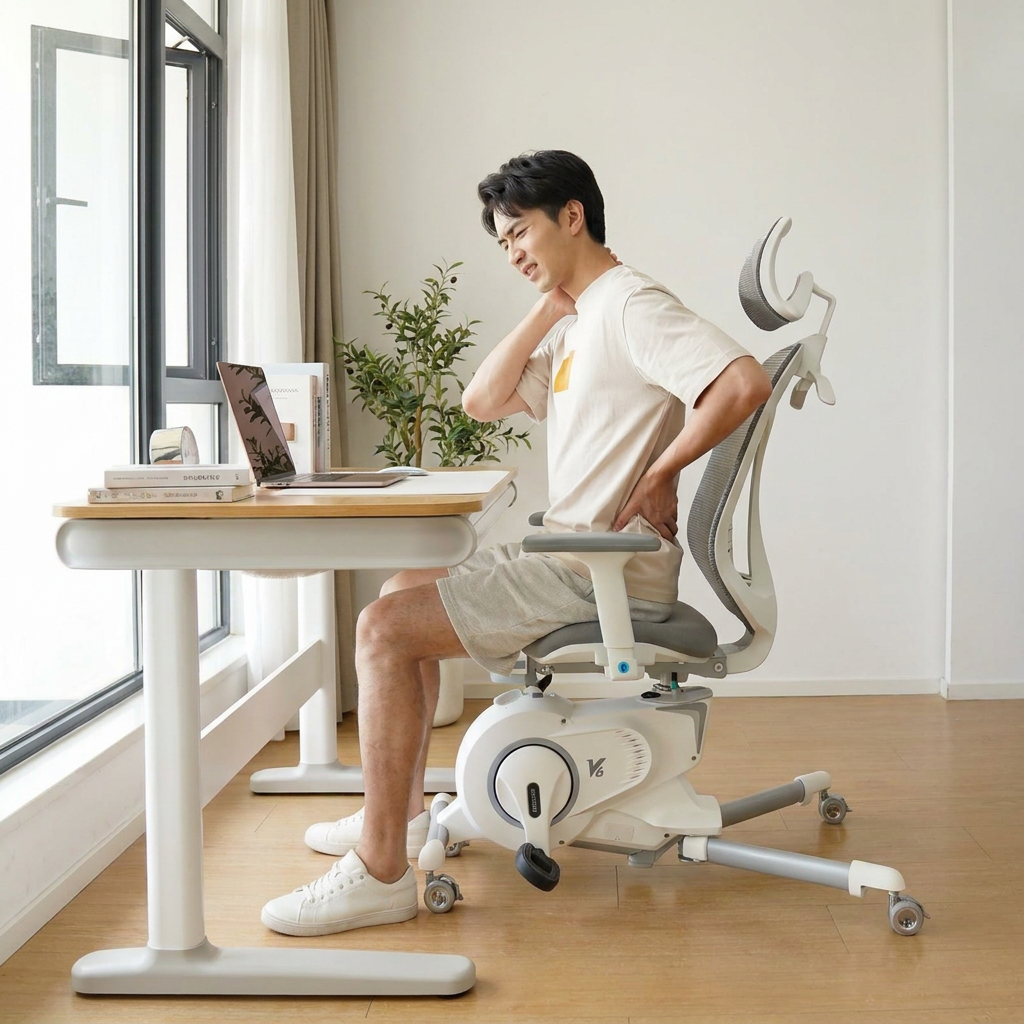
A desk chair for studying can look "ergonomic" and still set off discomfort fast. The useful signal is not the label. It is the pattern of where the body complains after 20–60 minutes, and what changes when posture is corrected.
Lower-back ache that builds slowly often points to a lumbar mismatch. Either the support sits too high and pushes the mid-back, or it sits too low and never makes contact. If the back feels better only when sitting on the front edge, the backrest is not doing its job.
Neck and shoulder tightness tends to show up when the chair cannot get close to the work. Fixed arms that block the chair from sliding under a desk force reaching. Elbows drift forward, shoulders follow, and the neck pays for it.
Tailbone pressure is different. It often appears quickly, within 10–20 minutes. That points to seat shape and foam support, not "posture discipline." A seat that slopes backward too much or bottoms out concentrates load at the rear of the pelvis.
Use short tests before deciding a chair is a keeper.
- Two-Position Test: sit fully back for five minutes, then sit slightly forward for five minutes. If forward feels better, lumbar contact or seat depth is off.
- Arm Clearance Test: pull in to the desk until the torso is close enough to type without reaching. If the arms hit first, the armrest design is driving the posture.
- Foot Stability Test: keep both feet supported for ten minutes. If the legs keep searching for a brace point, the seat height range and desk height are fighting each other.
These cues matter for an ergonomic chair for students because study sessions include reading, typing, and leaning in. A chair that is tolerable for short typing bursts can still fail for note-taking and long reading blocks.
Quiet rooms, tight spaces: dorm constraints that change the "best" choice
Many "best ergonomic chair for students" lists assume a roomy home office. Dorm rooms and shared apartments punish different things: footprint, noise, and how the chair moves on the actual floor.
Width matters more than height. A chair with wide arms can conflict with a narrow desk bay, or with a bed placed close to the desk. A mid-back chair often fits better in tight layouts than a tall back with a large headrest, even if the tall back looks more serious.
Noise is not just squeaks. Rolling sound becomes a daily issue when studying happens late. Hard plastic casters can chatter on tile or laminate. Soft-tread wheels are calmer on hard floors, but they can feel sluggish on thick carpet.
Small spaces also amplify swivel behavior. A very free-spinning chair can feel fidgety when the desk is bumped or when leaning sideways for a backpack. Some tilt mechanisms have a "floating" feel even when locked, which can be distracting for focused reading.
Cleaning is part of dorm reality. Spilled coffee, highlighter marks, and dusty floors happen. Mesh backs wipe down easily. Light-colored fabric seats show stains quickly and can hold odors longer.
- Hard Floors: quieter wheels and a stable base reduce sliding and noise.
- Carpet: larger casters roll better, but chair mats add footprint and edge trip risk.
- Shared Rooms: avoid chairs that creak during micro-movements, especially at the tilt joint.
A desk chair for studying that fits the room often beats a "bigger" chair that forces awkward desk placement and constant re-parking.
Durability signals worth trusting (and the claims that aren’t)
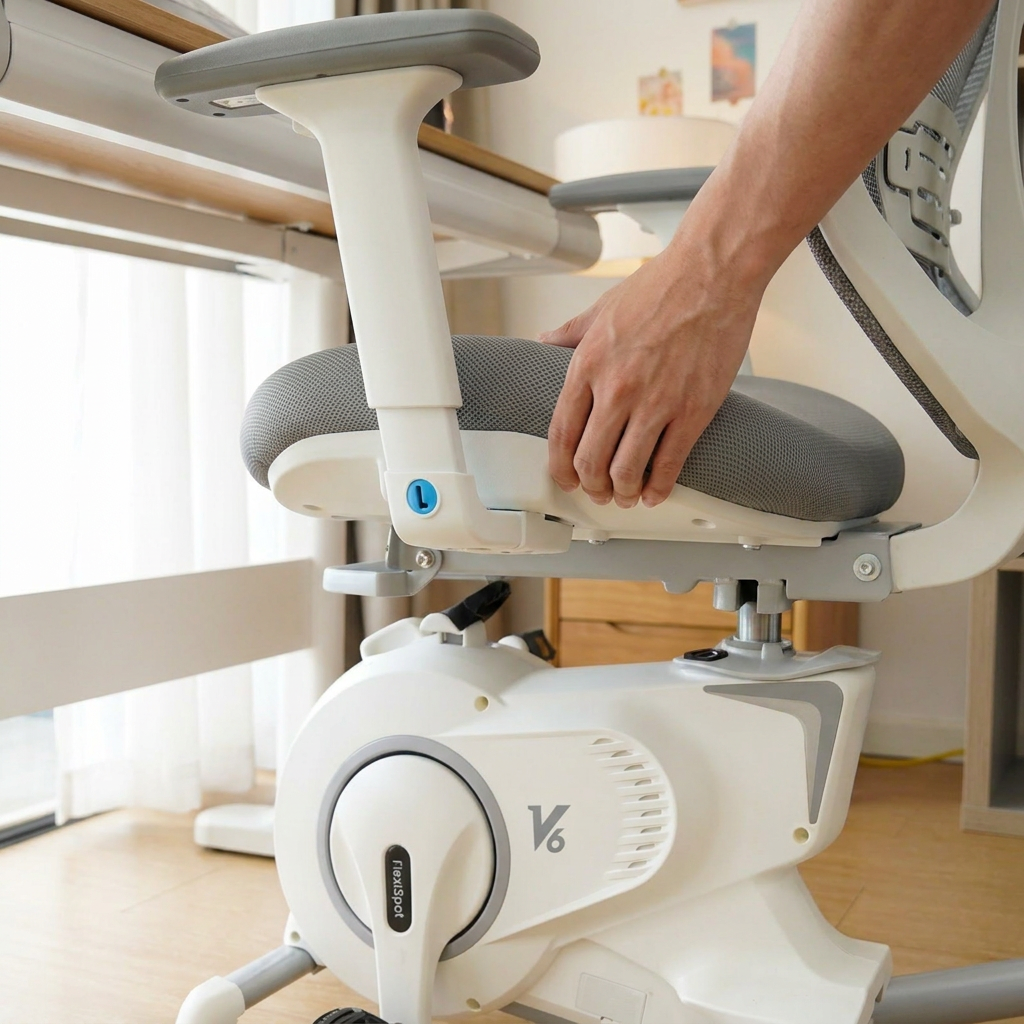
Most chairs fail in boring ways. The seat loses support, the tilt starts to click, or the arms get wobbly. Those issues do not show up in a quick sit test.
Look for durability language that can be verified. A named standard like ANSI/BIFMA X5.1 is more meaningful than "executive grade," but only if the brand documents testing instead of dropping the acronym in a bullet list.
Pay attention to the parts that take repeated load. Armrest posts and the tilt mechanism get stressed every time the user shifts. A chair that flexes at the arms during normal typing often gets louder and looser over a semester.
Weight capacity claims are common, and they are easy to inflate. A realistic range for many student-focused chairs is around 250–300 lb (113–136 kg). Higher numbers can be real, but they should come with a clearer base and mechanism description, not just a bigger number on the box.
Warranty terms act as a proxy for parts confidence. A one-year warranty is common at the budget end. Three to five years suggests the brand expects the mechanism and cylinder to hold up longer, even if the upholstery still shows wear.
For readers who want a plain-language ergonomics reference, the National Institute for Occupational Safety and Health has a practical overview on its office ergonomics page.
Return, assembly, and "ownership friction" for a study chair
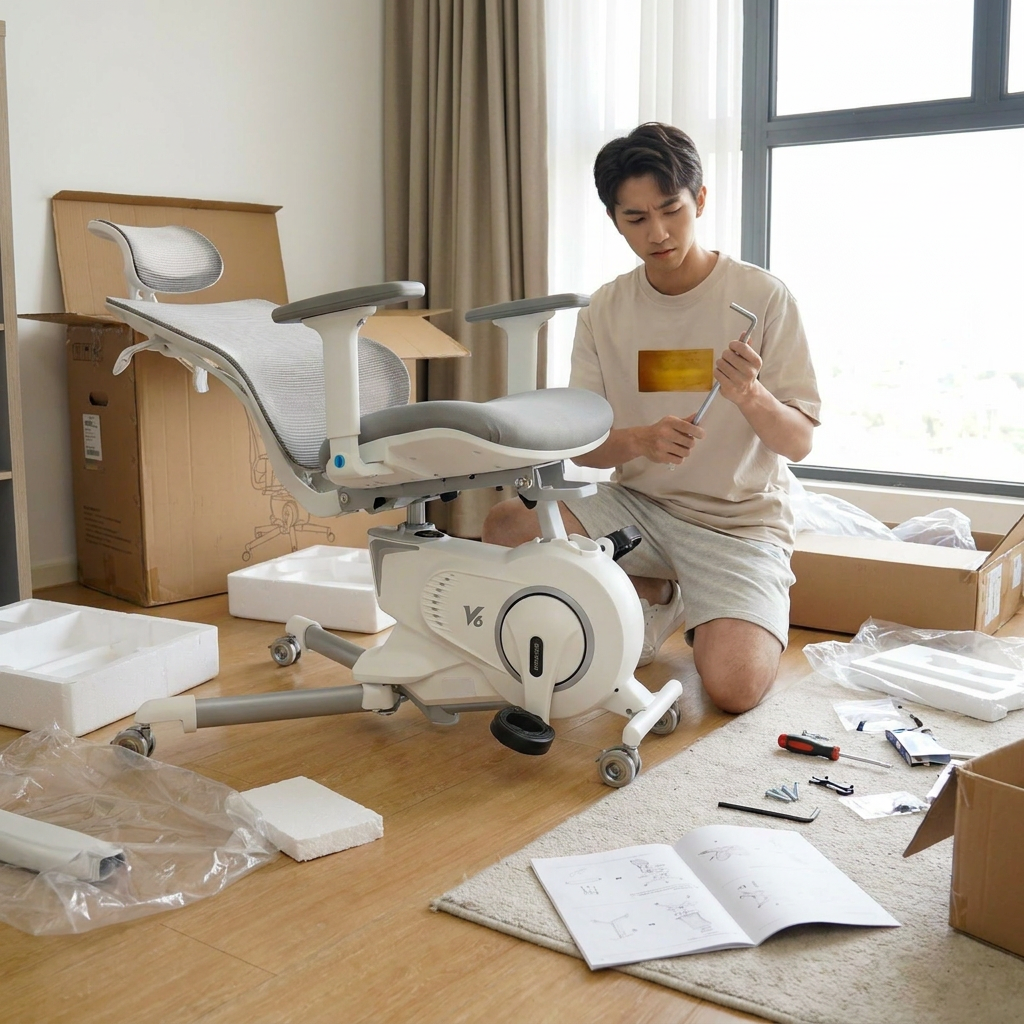
Buying a desk chair for studying is also buying assembly time, packaging hassle, and the risk of a return. That friction matters more for students than for a settled home office.
Assembly problems cluster around three steps: attaching arms evenly, aligning the backrest bracket, and seating the gas lift correctly. A chair can feel unstable simply because bolts were tightened out of sequence. A good sign is clear torque guidance and labeled hardware, not a single tiny diagram.
Plan for 20–45 minutes for a typical flat-pack chair build. Add time if the chair has a multi-piece backrest or adjustable lumbar part. Tight spaces slow everything down, especially if there is no room to lay parts flat.
Returns are not just about comfort. They happen when the chair cannot slide under the desk, when the arms cannot be lowered enough, or when the seat height range does not match the desk. Those are measurable issues, so they should be checked early, before the packaging is destroyed.
Ownership friction also includes parts availability. Casters, arm pads, and gas lifts are common wear items. If a brand does not list replacement parts or even basic customer support contact, the "cheap" chair can turn expensive after one semester.
For an ergonomic study chair for students, a smooth return policy and a realistic assembly process are part of the value. Time is part of the cost.
How to make a desk chair for studying feel "right" in daily use
Comfort during studying is less about a perfect posture and more about whether the chair supports quick, repeatable resets. The goal is simple. Sit down, adjust once, and stop thinking about it for the next hour.
Start with a "set and forget" baseline, then test it across the three study modes that usually break a setup: typing, reading, and leaning in to write. Typing exposes arm and desk clearance. Reading exposes whether the backrest encourages slumping after 30–40 minutes. Writing by hand exposes whether the chair forces a forward slide that loads the tailbone.
Small habits make a bigger difference than chasing extra features.
- Re-Center Every Time: sit back fully for two breaths before starting. It prevents the slow drift into perching.
- Use the Backrest on Purpose: light contact while typing, fuller contact while reading. One position rarely fits both.
- Keep Feet "Quiet": if feet keep searching, fix the base support first. That’s the fastest fatigue reducer.
For students, a desk chair for studying also has to tolerate distraction and fidgeting. A chair that feels stable during small side-to-side shifts usually stays more comfortable than one that flexes, swivels too freely, or changes tilt tension without warning.
One practical expectation helps. If the chair still feels good after a 60–90 minute block without a posture "rescue," it’s doing its job.
When this kind of ergonomic chair for students fits, and when it doesn’t
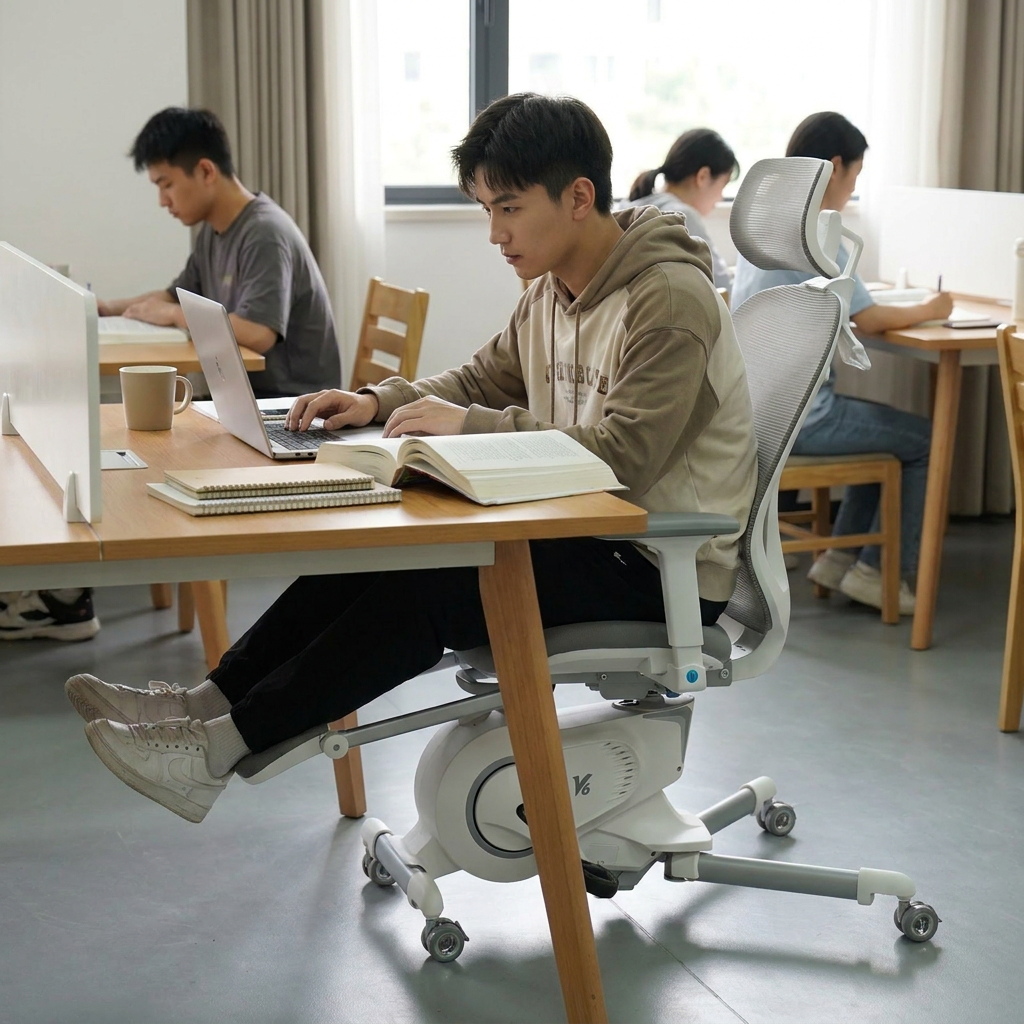
This approach fits students who study in long blocks (2+ hours) and need a chair that can be tuned to a desk, not admired from across the room. It suits shared spaces too, where stable posture and quiet movement matter. It also matches people who can tolerate a firmer seat if it stays supportive through a semester.
It won’t fit students who want a soft, sink-in seat feel or who change locations constantly and need something that works anywhere without setup. It’s also a poor match when the desk is fixed too high and there’s no way to solve the height mismatch. In that situation, even a good chair turns into a compromise.
A clear editorial position on the "best ergonomic chair for students" idea
"Best" is only meaningful when it’s tied to the desk and the room. For most students, the best ergonomic chair for students is the one that makes it easy to get close to the work, keeps feet supported, and doesn’t demand constant micro-adjustments to stay comfortable.
That judgment lands in a very unglamorous place. A mid-back desk chair for studying with dependable seat-height range, usable arm behavior (adjustable, removable, or able to clear the desk), and lumbar contact that matches the user will beat a taller, flashier chair that blocks desk access or wobbles under normal shifts.
Ignore status cues. Ignore "executive" language.
Spend attention on friction. If the chair makes studying feel like repeated small compromises (reaching, shrugging, sliding forward, hunting for foot support), it won’t become "fine" after a week. It becomes background stress.
One more hard line helps: a chair that can’t be set up to feel neutral within about two minutes is rarely the right desk chair for studying. That time limit is realistic in dorm life. It’s also a good filter.
Common questions
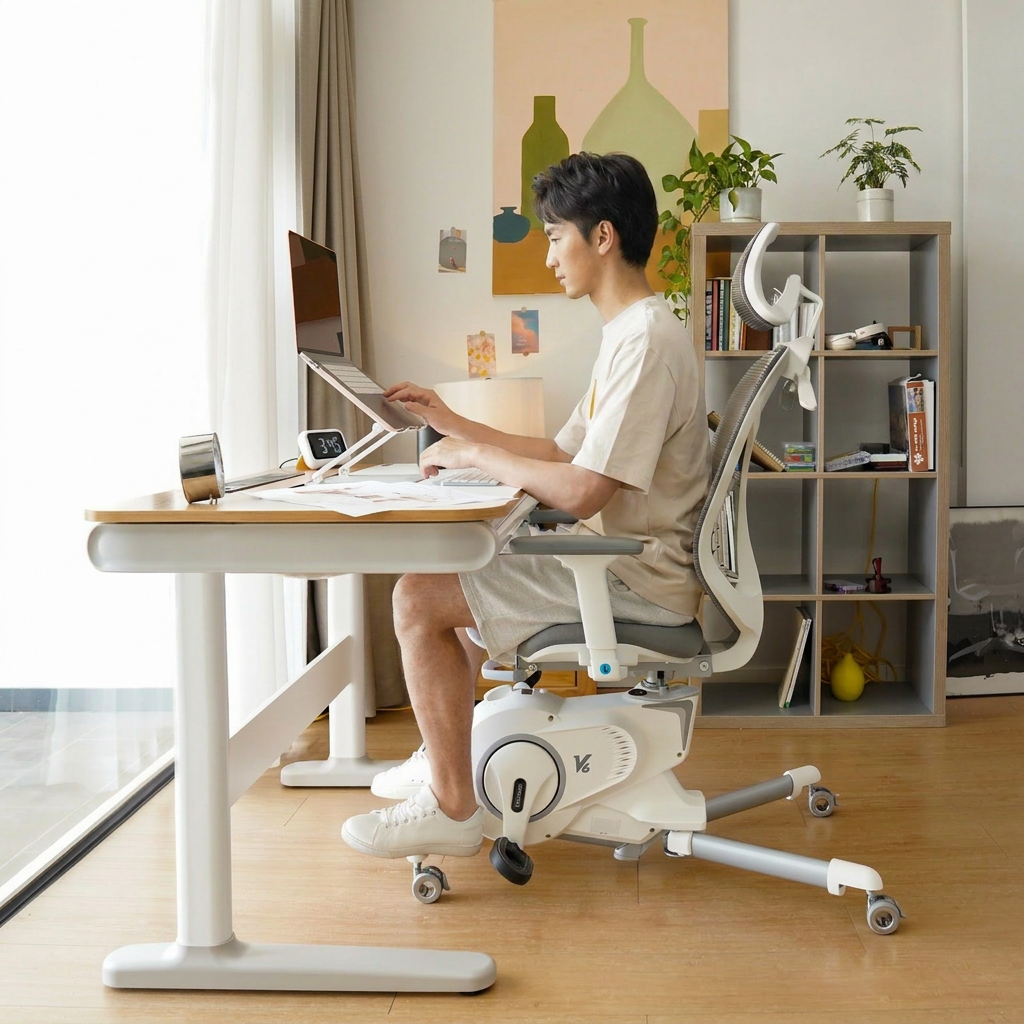
How long should a desk chair for studying stay comfortable before it needs a break?
Even a well-fitting chair doesn’t remove the need to move. A realistic target is 45–90 minutes of focused work before standing briefly, then returning to the same setup without readjusting everything.
Do armrests help or hurt an ergonomic study chair for students?
Armrests help when they let elbows rest without lifting shoulders and still allow the chair to slide close to the desk. They hurt when they are fixed high or wide and force reaching. Clearance matters more than padding.
Is mesh always better for students who study for hours?
Mesh is great for heat and easy cleaning, especially in small rooms. But it only feels good if the lumbar area hits the right spot and the frame edge doesn’t press. Comfort comes from fit, not the material label.
What’s the simplest fix if the desk is too high?
A stable footrest solves the lower-body side quickly, but the upper-body side still needs attention. If shoulders rise while typing, the chair needs enough seat height range and the arms must not block desk access.
When to choose this approach, and when to skip it
Choose a desk chair for studying that prioritizes fit and adjustability when studying happens most days, the desk height is fixed, and discomfort shows up in the same places after 20–60 minutes. That’s also the right move when space is tight and the chair has to park neatly under the desk without drama.
Skip the "ergonomic" chase when study time is short, locations change constantly, or the room setup can’t support a stable workstation. In those cases, chasing a perfect chair becomes wasted effort. A simpler seating solution plus more frequent breaks will do more than a chair that never matches the desk.